Industry operations software
Operations software for shipping agencies, contractors and facility companies.
One system for the office and the site team: port calls, projects, work orders, assets and the records that come out of them.
- KIVO MaritimeShipping agencies and vessel operatorsEvery port call, service and billing record in one place.
- KIVO ContractingConstruction and contracting companiesKnow what is happening across your projects, sites and costs.
- KIVO FacilitiesFacility management and maintenance companiesFrom a service request to the finished maintenance job. All tracked.
See how KIVO works
Pick your business. See a day in it.
Three steps of real work, and the screen each one happens in. Pick the operation closest to yours — the full sequence is on that product's own page.
Ship agencies, shipping companies and vessel operators
A port call, from the principal’s instruction to the invoice.

Illustrative KIVO interface
And the owner, without asking anyone
Which port calls are open, what each one still needs, and what has been recorded for billing — read off the work itself, rather than asked for.
Vessel activity reporting · Maritime billing records
General contractors, civil, MEP and fit-out contractors
A project, from the signed contract to the handover.
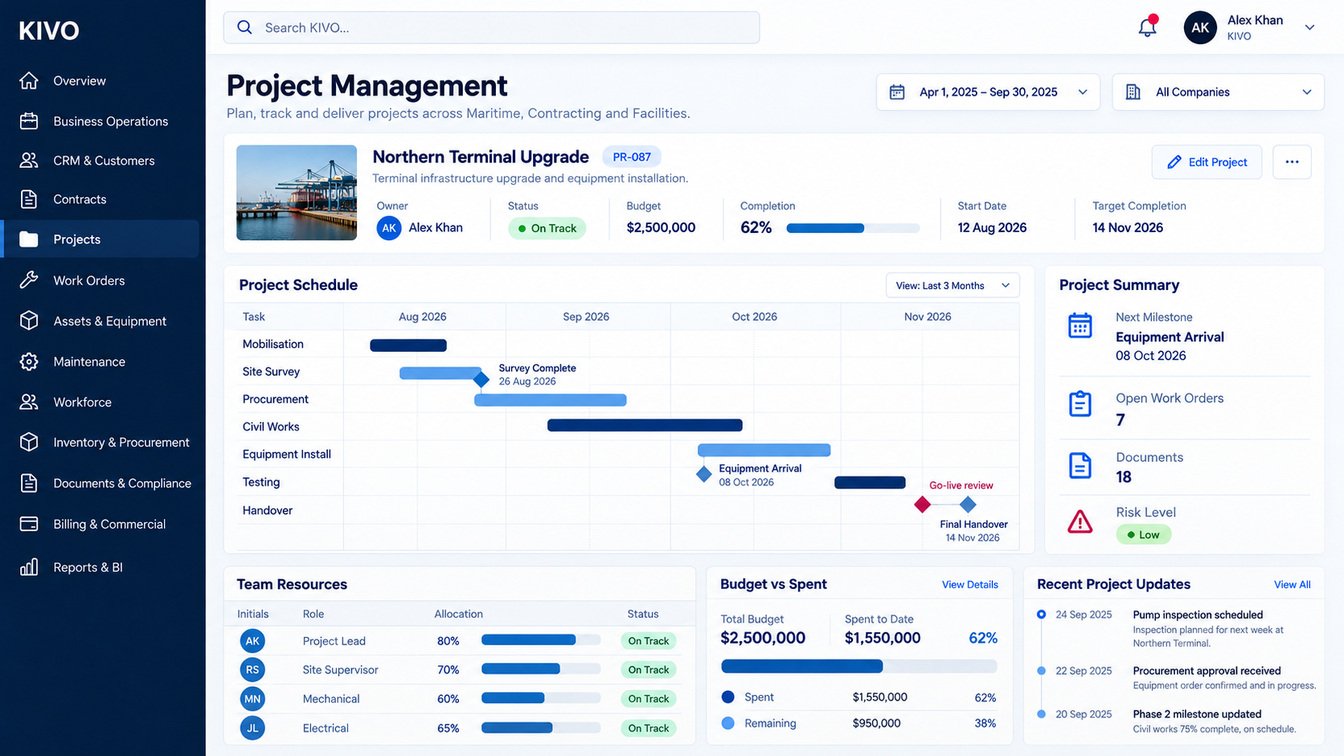
Illustrative KIVO interface
And the owner, without asking anyone
Progress against the programme, work completed by department, and cost against the contract for the period chosen — rather than a figure assembled by hand each month.
Project progress tracking · Project cost monitoring
Facility and property management companies, building maintenance providers
A service request, from the call to the signed-off visit.
Illustrative KIVO interface
And the owner, without asking anyone
Open work, contracts coming up for renewal, and assets due for service in one view — so a commitment is visible before it slips, not after.
SLA monitoring · Facility service reports
Want to see it on your own operation?
A short demo with our team, on the work your business actually does.
Products
Three solutions. One connected system.
Each one is built for a different operation, and all three extend the same foundation — the same customers, contracts, assets and records.
-
Maritime
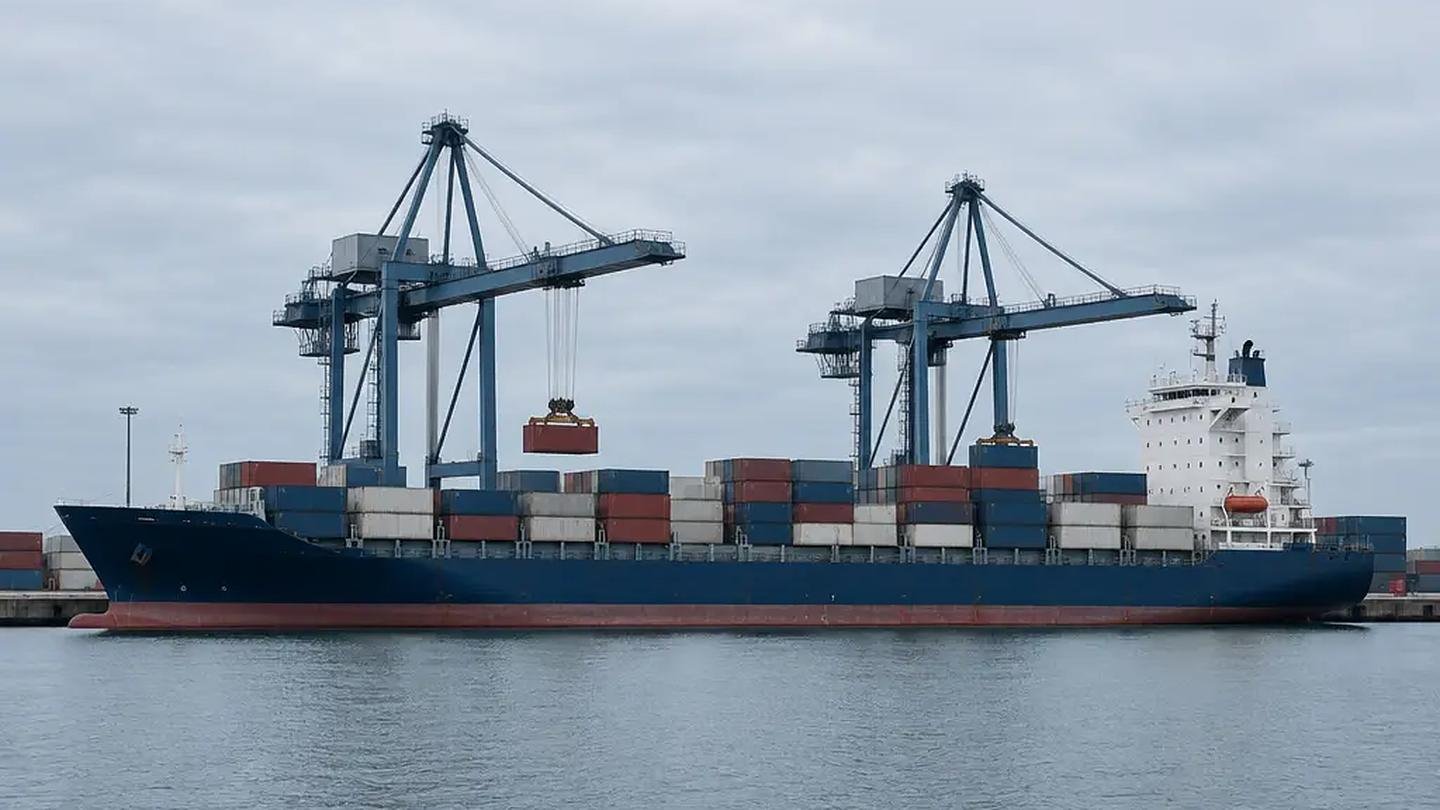
KIVO Maritime
For ship agencies, shipping companies and vessel operators.
- Track vessels, port calls and the jobs each call needs
- Keep principal records, documents and agreements in one place
- Build billing records from the work that was actually done
-
Contracting

KIVO Contracting
For general contractors, civil, MEP and fit-out contractors.
- Run a project from signed contract through to handover
- Assign work orders to your teams and your subcontractors
- Watch progress, materials and cost against the plan
-
Facilities

KIVO Facilities
For facility and property management companies.
- Turn service requests into scheduled, tracked work orders
- Plan preventive maintenance against each asset
- Monitor SLAs, inspections and technician visits
The KIVO Difference
Your Business Is Connected. Your Software Should Be Too.
A customer request can become a contract. A contract can create a project. A project can generate work orders. Work orders require people, assets, materials, and service coordination. Completed work connects to billing, reporting, and customer satisfaction.
KIVO is designed to connect these operational relationships.
The Connected Business Workflow
- 01 Customer
- 02 Contract
- 03 Project / Service
- 04 Work Order
- 05 Team
- 06 Asset / Material
- 07 Completion
- 08 Billing
- 09 Reporting
This connected approach helps businesses reduce duplication, improve accountability, and gain a clearer view of the entire operational lifecycle.
Inside KIVO
A closer look at the platform.
Four of the areas your teams work in every day.
Operations
See the whole operation.
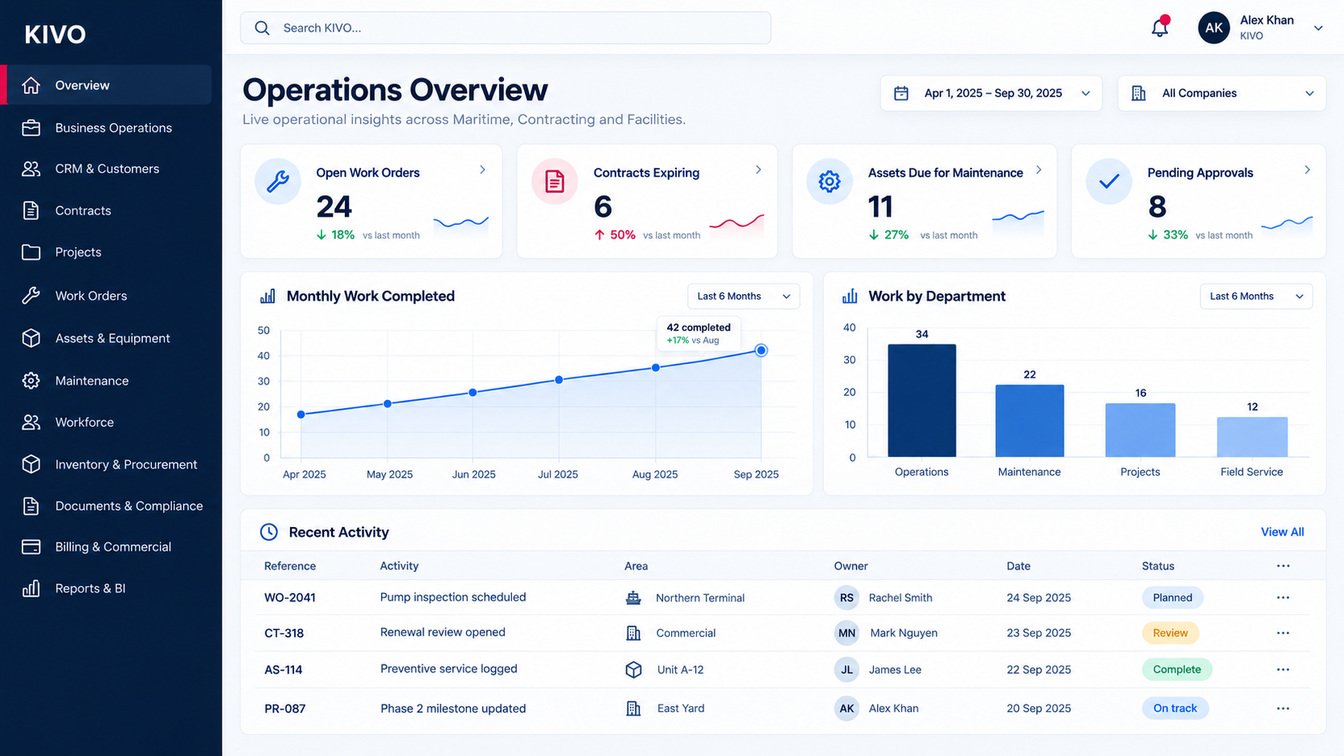
Open work, expiring contracts, assets due for service and approvals waiting on someone — on one screen, drawn from the same records the work is done in.
- Open work orders, by status and owner
- Contracts approaching renewal
- Assets due for planned maintenance
- Approvals waiting on someone
Work execution
Turn work into a controlled process.
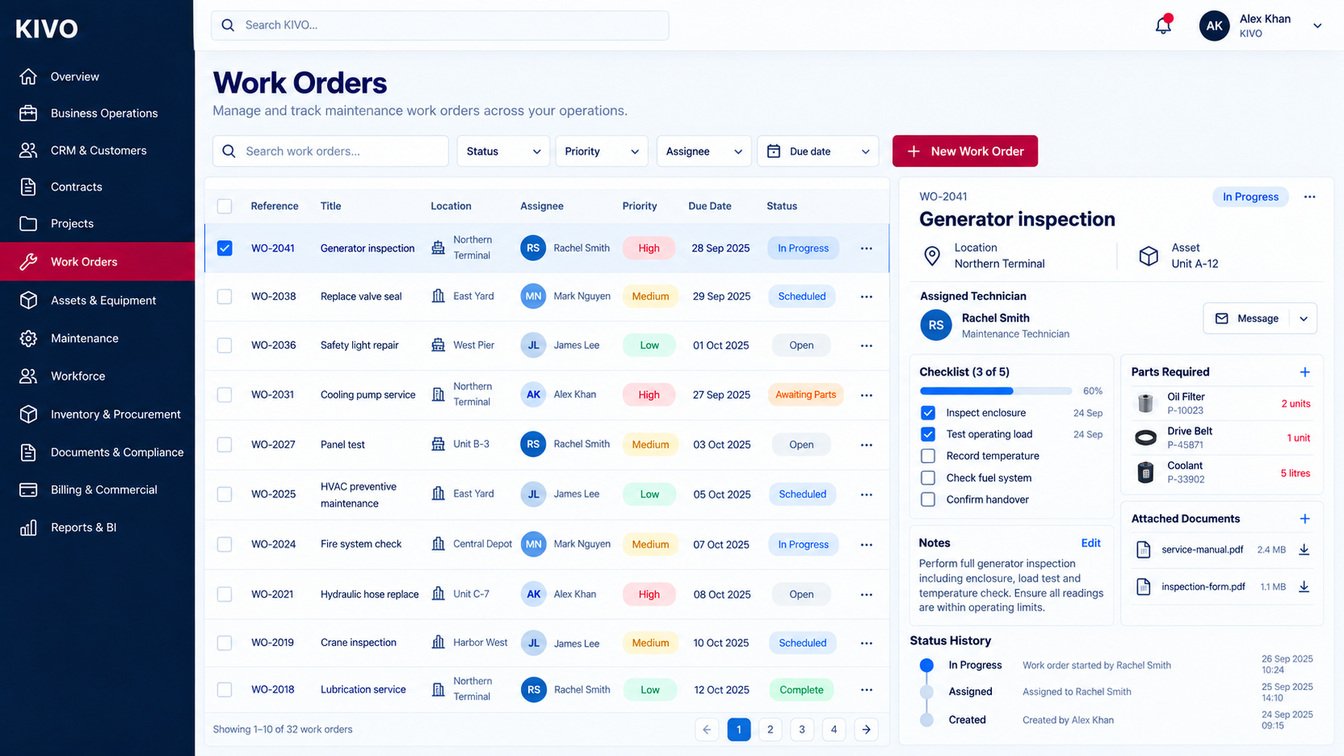
Work orders carry their assignee, priority, schedule, checklist, documents and history, so the state of a job is a record rather than a phone call.
- Assign, schedule and prioritise
- Checklists completed on site
- Documents attached to the job
- A status history that cannot be argued with
Assets and maintenance
Know what you own, and what needs attention.
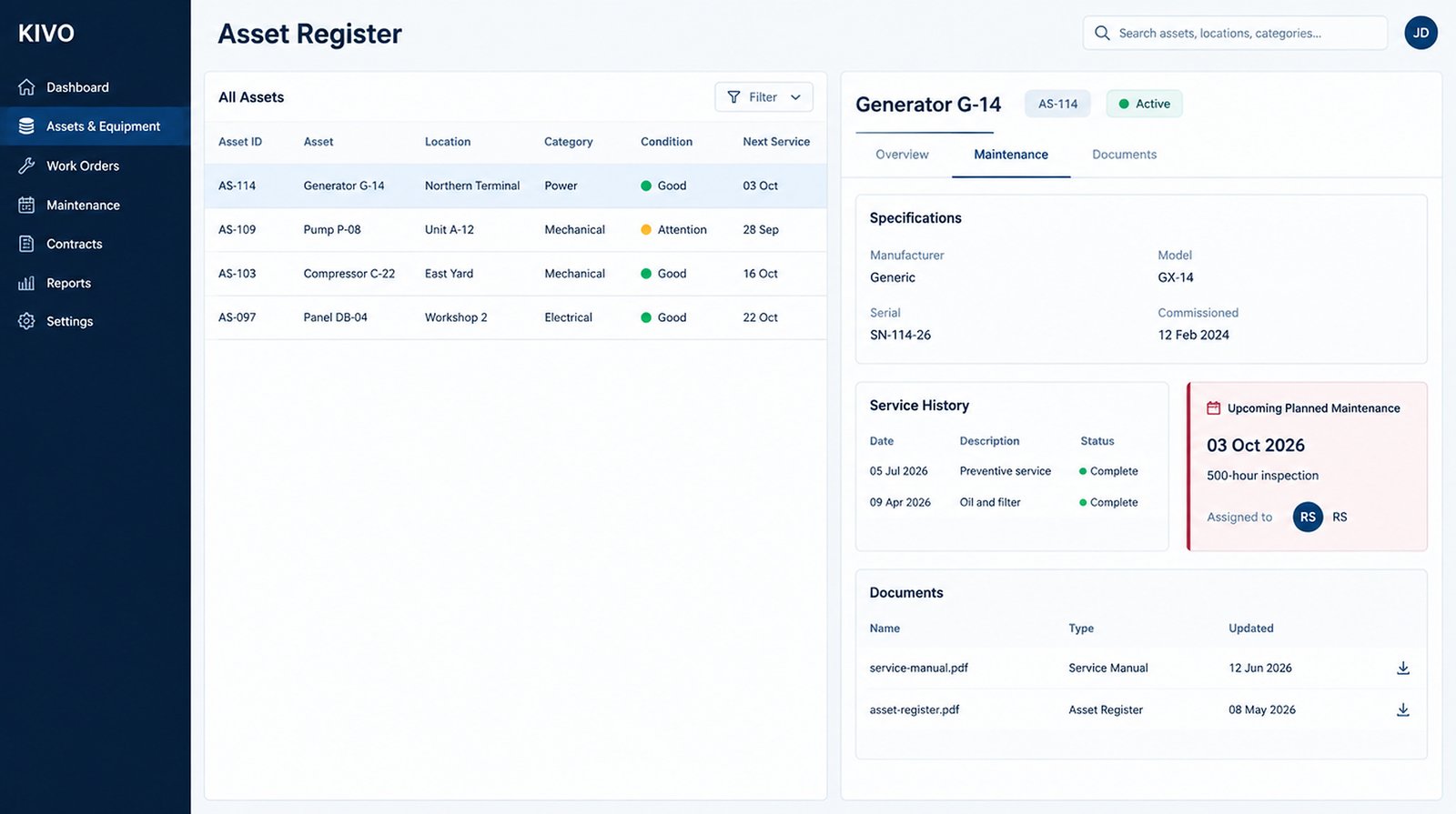
Each asset keeps its specification, location, condition, service history and planned maintenance together, so what is due is visible before it becomes a failure.
- Asset register with location and condition
- Specification and serial detail
- Service history in one place
- The next planned service, scheduled
Reporting
Turn operating activity into usable information.
Because the work is recorded as it happens, reporting draws on operational data rather than a spreadsheet assembled at the end of the month.
- Company, branch and date filters
- Work order trend over time
- Workload by department
- Maintenance by asset class
Platform
Everything Your Operations Need. Connected in One Place.
KIVO connects the core functions of your business, reducing operational gaps and helping teams work from a shared source of information.
Operations
Operations dashboard
Open work, renewals, services due and approvals in one view.
Execution
Work orders
Assignment, priority, checklist and history on every job.
Assets
Asset register
Condition, service history and the next planned service.
Intelligence
Reports and dashboards
Operational data, filtered by company, branch and period.
Commercial
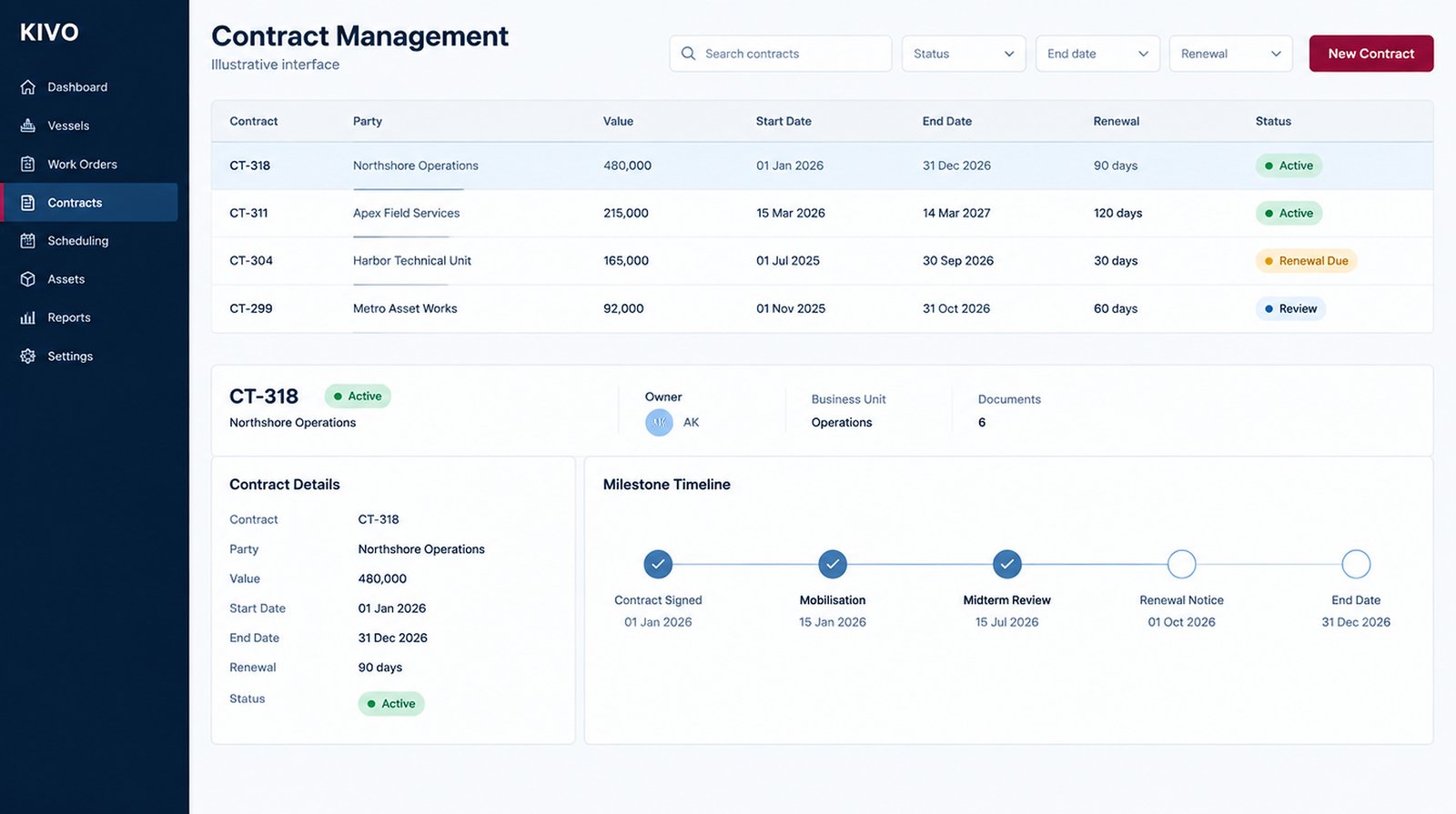
Contracts
Terms, renewals and milestones beside the work they govern.
Delivery
Projects
Schedule, milestones, resources and the work orders raised.
The twelve modules
-
-
-
-
-
-
-
-
-
-
-
-


Contracts and projects
From agreement to execution.
A contract carries its scope, terms, renewal dates and milestones. The project that delivers it carries the schedule, the resources and the work orders. They are the same record, seen from two sides.
Delivery, in the same system
Phases, milestone dates, the work orders raised against the project and who is assigned to it — kept with the contract they belong to rather than in a separate schedule.
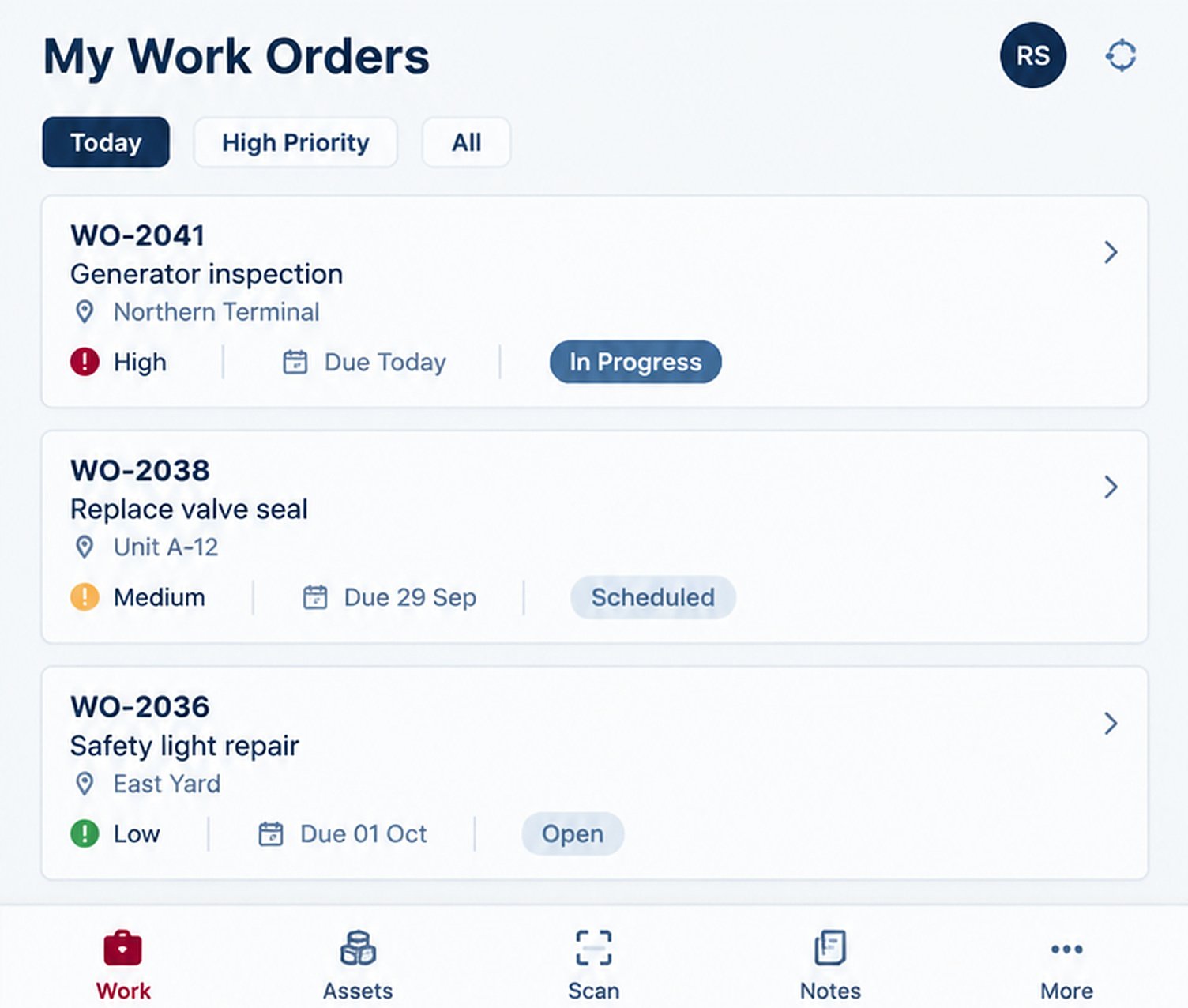
Field operations
The same operation, in the field.
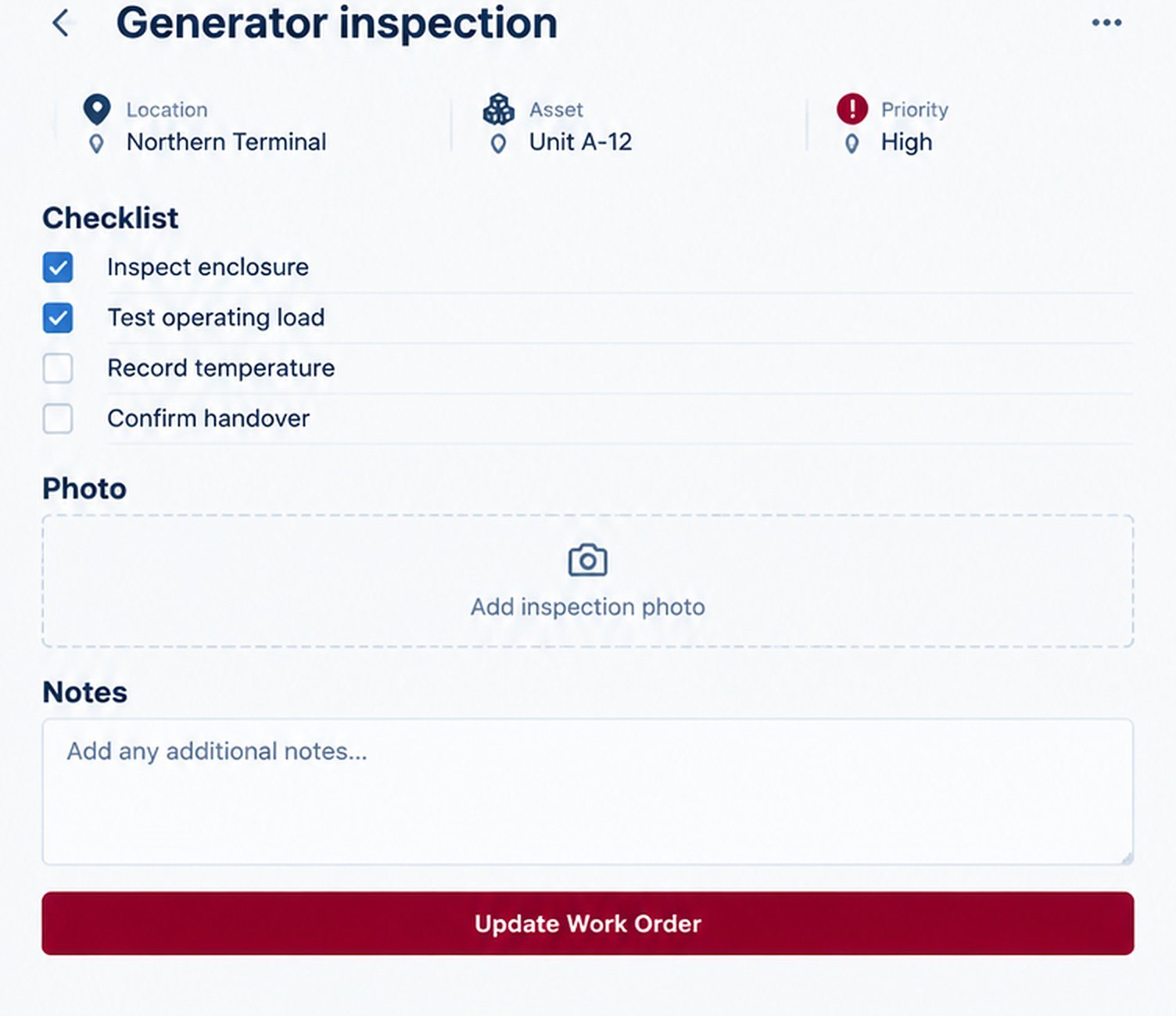
Assigned work, checklists, notes and job evidence belong where the work happens. What a technician records on site is the same record the office sees, rather than a form re-entered later.
Illustrative KIVO interface
Industries
Built for Businesses That Keep the World Moving.
KIVO is designed for organizations where people, assets, projects, contracts, and daily operations must work together.
- Maritime & Vessel OperationsManage vessel-related activities, port calls, ship agency operations, documentation, service coordination, and maritime business workflows.
- Contracting & ConstructionManage projects, contracts, work orders, resources, subcontractors, materials, and project execution from one connected platform.
- Facility ManagementManage facilities, buildings, service contracts, assets, maintenance requests, technicians, and service delivery.
- Maintenance & EngineeringPlan, assign, execute, and monitor maintenance work across equipment, facilities, assets, and service locations.
- Field Service OperationsCoordinate customer requests, technicians, schedules, work orders, service reports, and field activities.
- Asset & Equipment-Based BusinessesManage equipment, machinery, vehicles, operational assets, service schedules, and maintenance activities.
Why KIVO
Built Around the Way Your Business Actually Works.
Generic business software often forces companies to adapt their operations to rigid workflows.
KIVO takes a different approach.
It is designed around the realities of operational businesses—where contracts lead to projects, projects create work orders, work orders require people and assets, and completed work connects to billing and business performance.
One Connected Platform
Bring multiple operational functions together in one environment.
Industry-Focused Solutions
Support industry-specific workflows while maintaining a connected platform foundation.
Flexible Business Operations
Adapt the platform to evolving business requirements.
Better Management Visibility
Give decision-makers access to meaningful operational information.
Designed for Growth
Expand capabilities as your business and operational needs evolve.
Ready to Bring Your Operations Together?
Discover how KIVO can help your business simplify workflows, improve visibility, and manage operations with greater confidence.
KIVO — Business Operations. Connected.